Sizzix Big Shot vs Cricut Maker: Honest Comparison for Card Making Beginners
If you’re new to card making — or even if you’ve been crafting for a couple of years like I had before I got my Sizzix — choosing the right cutting machine can feel overwhelming. There are so many options, and each one promises to make your crafting easier, faster, or more creative.
I’ll share my personal experiences, including pros and cons of each machine, things I love, and things that can be frustrating. I’ll also show cards I’ve made using each machine alone, and some where I combined them — because honestly, for me, that’s often the best approach.
It might seem like a long list with all these explanations, but it’s really important to have them in mind if you’re trying to decide which machine is best for your card making journey. By the end, I hope you’ll have a clear sense of which one (or both!) will fit your style, needs, and - of course - your budget.
What Is the Sizzix Big Shot?
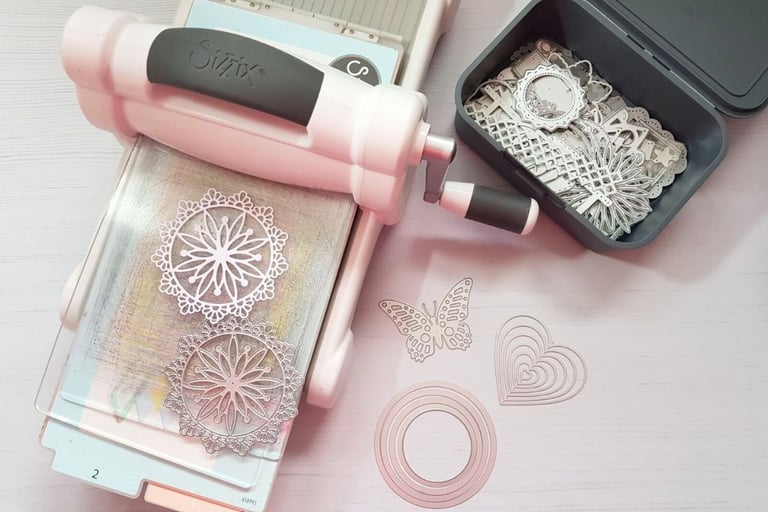
The Sizzix Big Shot is a manual die cutting machine. That means you place a metal die and paper between cutting plates and roll it through using a handle. No electricity. No software. No internet.
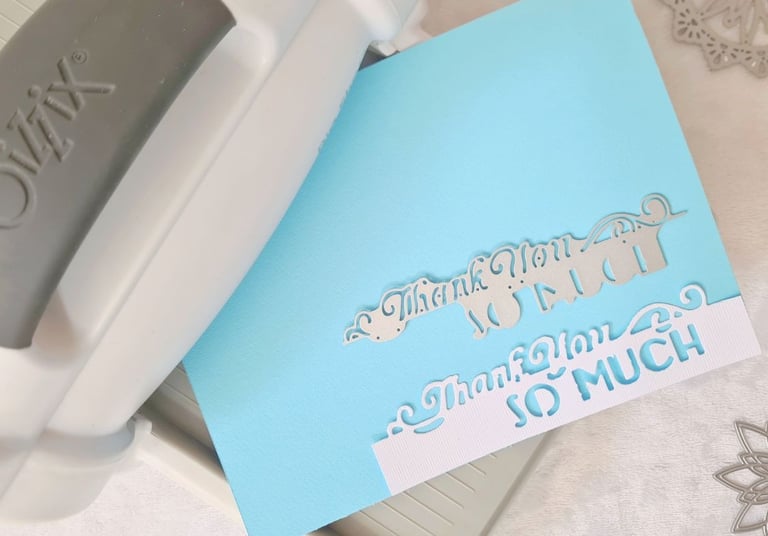
It uses pressure to cut shapes or emboss designs into paper. Some dies even cut and emboss at the same time — for example, lace edges with stitched details pressed into the cardstock.
There is also a Big Shot Plus (larger version), but for standard greeting cards, the regular Big Shot is more than enough. I’ve used mine for a decade for cards, exploding boxes, albums, tags, bookmarks — and it has never felt “too small” for regular card projects.
What Is the Cricut Maker?
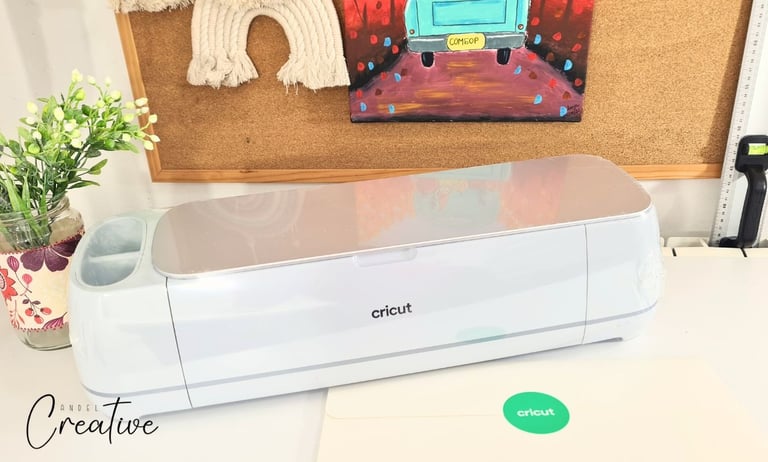
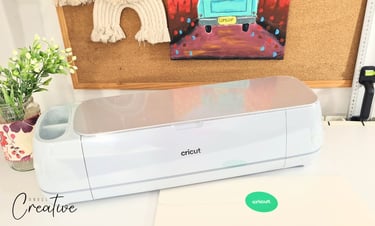
The Cricut Maker 3 is an electronic cutting machine. It connects to your computer or laptop and works through a software called Design Space.
Instead of metal dies, it uses blades to cut shapes you design or upload as SVG files. You can resize everything freely — letters, shapes, decorative elements — which gives you endless flexibility.
It’s powerful, versatile, and capable of much more than paper — but today we’re focusing strictly on card making tools.
I got more blog posts dedicated to Sizzix basics, so check them out.
Here's the list of blog posts dedicated to Cricut projects, so check them out.
Sizzix Big Shot for Card Making
Let's start with Sizzix.
✅ Pros of Sizzix Big Shot
1. Faster Cutting Process
For me, Sizzix is simply faster. Not just when I need one element — but overall. I can place the die, roll it through, and in seconds the piece is ready to use. There’s no software to open, no mat to prepare, no material settings to adjust. It’s just cut and go. Even when I need multiple elements, I can cut several pieces at once, layer scraps together, or run different shapes through in one pass. And it’s still faster than setting up a Cricut project.
2. More Handmade Feel
This is something I really notice every time. Cards made with Sizzix have that pressed, slightly dimensional look because of the pressure applied while cutting or embossing. Even if there are fewer layers than what I can do on Cricut, the result feels warmer, more personal, and very “handmade.”
3. Cut and Emboss at the Same Time
Some dies can cut a shape and emboss stitched or decorative details in a single pass. I love that because it instantly adds depth without extra steps or additional tools. It’s such a time saver and makes the element look beautifully finished straight out of the die. For borders or lace edges, this feature makes the card feel more professional without losing the handmade charm.
4. Works Beautifully With Scraps
This is one of my favorite things about Sizzix. I often use leftover cardstock pieces and can position the die wherever it fits, even in tiny corners. It feels like nothing goes to waste. With Cricut, even small elements usually need a larger, straight-edged piece to stick properly on the mat. Trying to use scraps there can be frustrating, so this is a real advantage for efficient card making.
5. Great Size for Standard Cards
The standard Big Shot size is great for most card projects. I’ve been using it for over ten years for cards, exploding boxes, albums, bookmarks, and never felt cramped. Unless you plan to make very large layouts, the regular size handles everything a card maker needs. If you want extra space for future projects, the Big Shot Plus is a nice option, but it’s not necessary for beginners.
6. Portable
No cords, no laptop. You can move it from your craft table to the couch, to a friend’s house, or even craft somewhere without electricity. That freedom makes it easy to take your creativity anywhere. For someone who loves spontaneous crafting sessions, portability is a real plus.
7. Excellent for Tiny Details
From my experience, tiny lace edges and delicate dies cut more reliably on Sizzix (assuming you have a good-quality die). The pressure helps hold bridges and small details without tearing. Cricut can do tiny elements, but sometimes I need multiple passes, and thin bridges can wrinkle or tear. For intricate lace or stitched borders, Sizzix has been my go-to.
8. Minimal Maintenance
Some people wouldn’t think of this as an advantage, but honestly, that’s all I’ve ever replaced in ten years — just the cutting plates. It’s simple, fast, and inexpensive. The machine itself rarely needs anything else.
9. No Electricity or Internet Needed
You can make cards anywhere, even during a power outage or somewhere with no Wi-Fi. It’s just you, your dies, and your paper. There’s something calming about being able to craft without tech interruptions.
10. Ideal to use with Printables
I love combining printables with Sizzix. You can print backgrounds, images, or sentiments, then die-cut frames, borders, or themed elements to match. It gives you nearly endless creative possibilities, and the results always feel personal and layered.
👉 Card making printables you'll love - visit Card Making section in my shop.
❎ Cons of Sizzix Big Shot
1. Limited to Die Sizes and Shapes
If you love a die but wish it were slightly bigger or smaller, you can’t adjust it. You’re limited to the sizes and shapes you own. Sometimes that can feel restrictive, especially when you’re experimenting with new card layouts.
2. Dies and Embossing Folders Add Up
Building a die collection adds up fast. There’s always a new shape, theme, or alphabet you’ll want. It’s not just the machine that’s an investment — your collection grows alongside your creativity.
3. Cutting Letters Can Be a Bother
Alphabet dies are great, but each letter is separate. Words with repeated letters mean multiple cuts. “JOY” is simple. “BLESSINGS” takes patience. It’s something to keep in mind if you’re planning lots of personalized cards.
4. Storage Space
As your collection grows (and trust me, it will), you’ll need boxes or organizers to keep everything in order. That said, there’s a joy in seeing your collection — it’s inspiring, like having little treasures at your fingertips. It reminds me of collecting stamps or napkins as a child.
5. Searching for the Right Die
If your organization isn’t perfect, finding a specific die can take time. When you have dozens of dies, it’s easy to misplace the one you need. A simple label system can help.
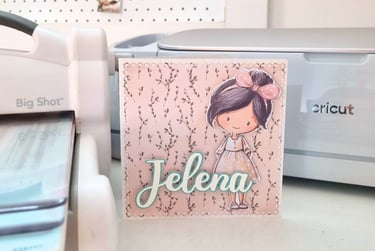
Cricut Maker 3 for Card Making
Now let’s talk about Cricut.
✅ Pros of Cricut Maker
1. Resizable Elements
You can resize any shape or text to fit perfectly on your card. That flexibility is powerful, especially for unique designs or themed cards. For standard card sizes, large resizing isn’t always necessary, but it’s nice to have the option if you want to experiment.
2. Endless Design Options
You’re not limited to the dies you own. Upload SVG files, use built-in images, or design your own shapes. The creative possibilities are almost infinite, which is exciting if you enjoy exploring new styles and layering.
3. Wide Font Options
The fonts available in Design Space are a huge advantage. You can create names, dates, and custom sentiments without buying extra dies. It’s a big plus for personalizing cards, especially for gifts.
4. Offset Option (My Favorite)
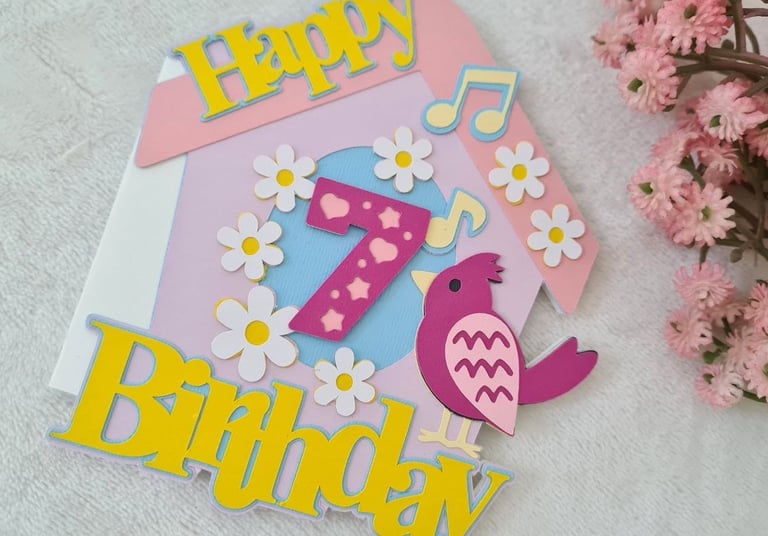
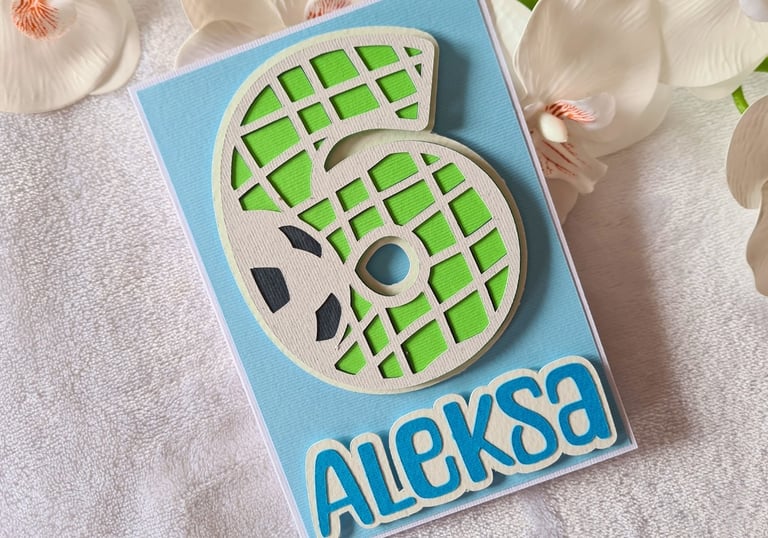
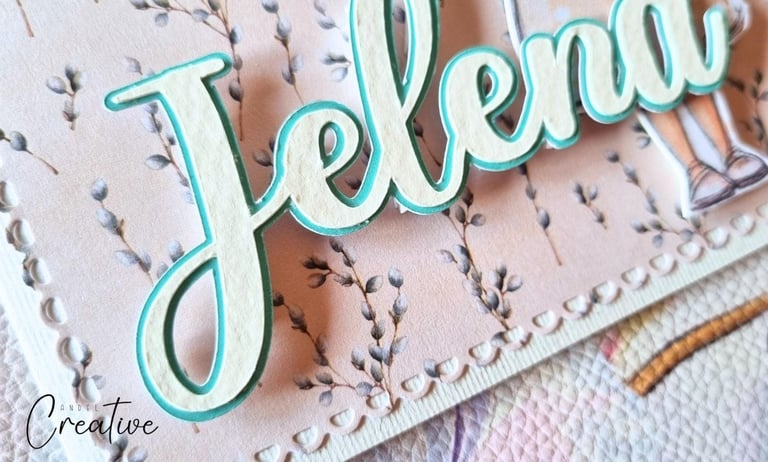
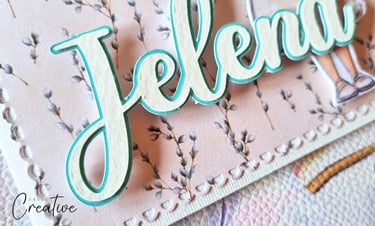
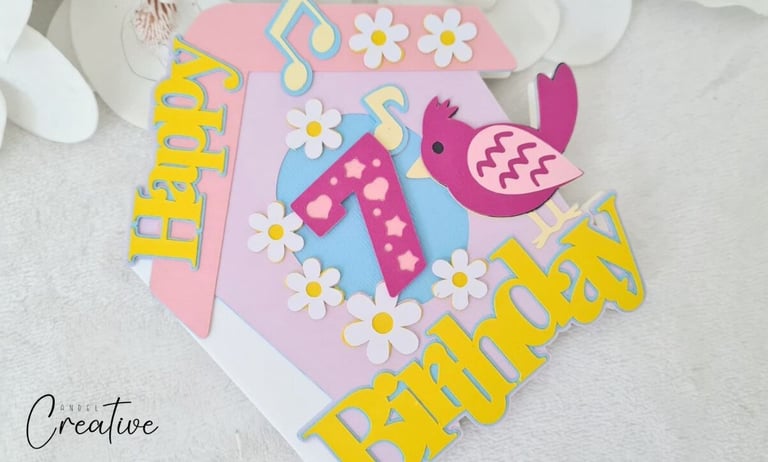
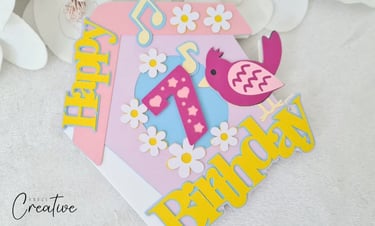
Offset is my favorite feature. It creates a border around letters or shapes, giving a layered, dimensional look. For example, I make quick birthday cards by cutting the number and “Happy” in two or three layers. It instantly looks polished, without needing advanced techniques.
5. easy to make shaped card bases
One thing Cricut makes incredibly simple is creating shaped card bases. Whether you want a heart, a birdhouse, a mushroom, or any other fun shape, you can design or upload it, resize it exactly how you want, and cut a perfectly symmetrical base in minutes. For card makers who love unique shapes or themed cards, this is definitely a big advantage.
❎ Cons of Cricut Maker
1. Slower Workflow
Every cut requires setup. You choose material settings, place paper on the mat, measure positioning, wait for cutting (twice for thicker cardstock). If you want to switch tools (for scoring or embossing), you need to change blades. For a small piece, it can feel like a long process.
2. Different Paper, Different Settings
Each cardstock type (standard, watercolor, glitter, shiny) can need a unique pressure, blade, or mat setting. Choosing wrong can ruin your piece. With Sizzix, the same die and plates usually work on multiple papers. Beginners can find Cricut settings a little confusing at first.
3. Requires Computer or Laptop
Cricut can’t run by itself. You need a device connected, which adds a technical step. If you want instant, stress-free crafting, this dependency can feel limiting.
4. Learning Design Space
There’s no manual that explains everything. You rely on tutorials, often on YouTube. Finding the right video and staying focused can be overwhelming when you just want to start creating.
5. Subscription or SVG Purchases
If you’re not designing your own files, you’ll likely need a subscription or purchase SVGs to make certain designs. It’s another cost, and if you want to create your own, it takes time — especially for beginners.
6. Expensive
It’s not just the machine. Blades, scoring tools, embossing tips, mats — all add up. The investment grows over time, so it’s something to consider if you’re just starting out.
7. Less “Handmade” Depth
Cricut cuts are clean and precise, but flat. Even layered elements don’t have the depth you get from Sizzix embossing or pressure. To achieve a similar handmade feel, you often need extra steps, tools, or techniques.
8. One Color Per Cut Planning
I’ve found that putting multiple pieces of paper on a Cricut mat at once can be tricky. It’s not that you can’t, but small pieces can shift or peel during cutting, which might ruin the cut. If you want to try it, you have to plan their placement carefully and make sure everything sticks perfectly — otherwise, you may have to start over. With Sizzix, on the other hand, you can casually place different colored scraps on the plate, and it feels much easier and less stressful.
9. Electricity and Internet Required
Cricut needs to be plugged in, and updates require internet. That already makes it less flexible than Sizzix. And when it comes to updating, this is what bothers me the most: just when I get used to certain tools being in a specific place, a new version changes everything. Suddenly tools are moved, menus look different, and I have to find new YouTube tutorials just to figure out where those tools are hidden now. For someone who just wants to sit down and make a card, it can really interrupt your flow.
10. Mat Cleaning and Replacement
Cricut mats are designed to hold your paper firmly in place, but over time they start losing their stickiness — especially in the corners where you tend to place your paper again and again. You need to clean them thoroughly, and eventually replace them if you want original quality. I usually clean mats after 20 cuts — which honestly isn’t much. Skip it, and your paper can slip mid-cut, forcing you to start over. It’s a small thing, but it can feel frustrating when you’re in the middle of a creative session.
11. Clean Cutting Size Limitations
I love adding small details to my cards, but with Cricut, tiny shapes under 0.5 inch can wrinkle or tear. Script letters usually work best around 0.75–1 inch, and intricate lace or frame designs look cleaner at 4–5 inches wide. Trying to cut anything smaller often ends in frustration.
12. Not Easy to Carry Around
Cricut is heavier, bulkier, and requires a laptop and cables. It’s not something you can easily grab for a spontaneous crafting session like Sizzix.
Cards Made With Each Machine
Cards Made With Sizzix Big Shot
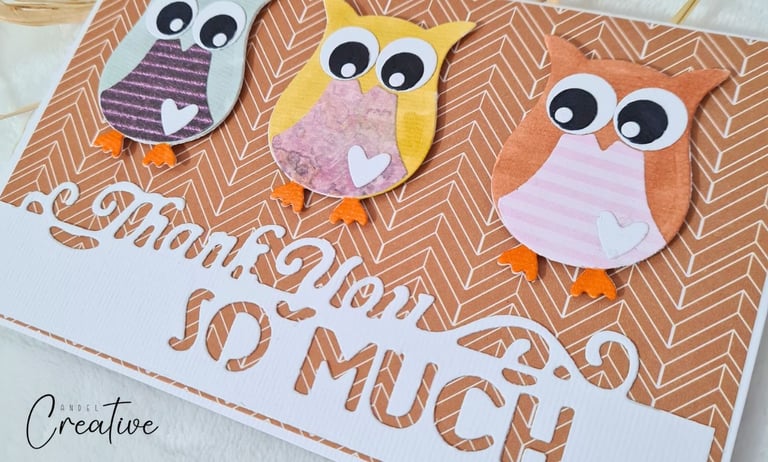
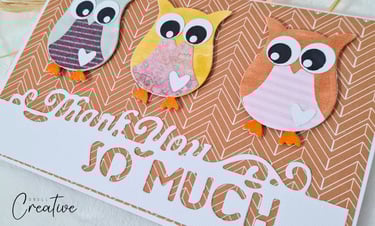
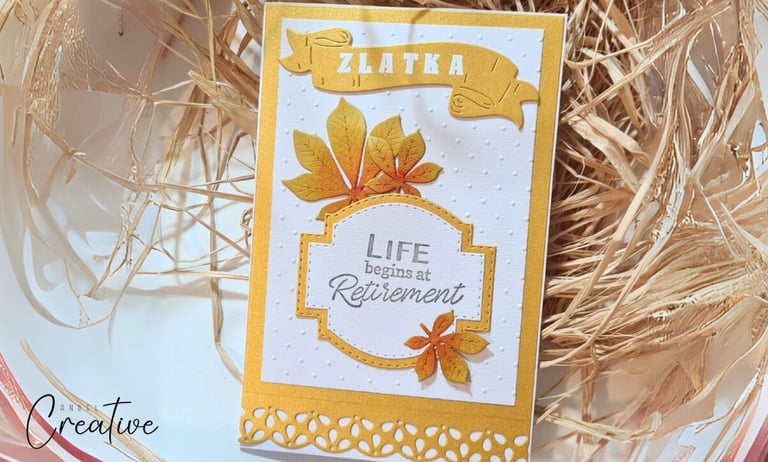
When you gift someone a card made with Sizzix, I guarantee they’ll say, “Wow!” The elements you cut, color, and embellish just have a different feel — more detailed, warmer, and unmistakably handmade. These cards are made using Sizzix, and the depth and texture you get from die-cutting and embossing really make them stand out.
Cards Made With Cricut Maker
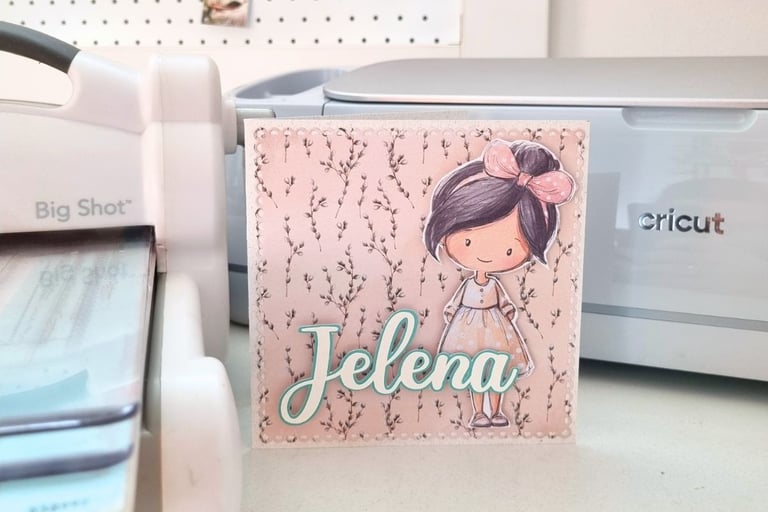
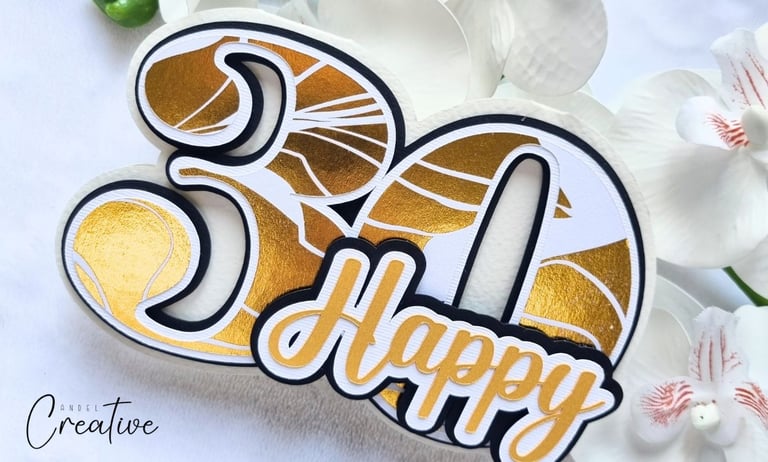
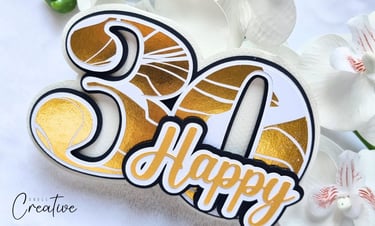
I usually turn to Cricut when I want a quick, simple card — especially for names, numbers, or custom sentiments. I love using the offset option in two or three layers; it’s fast and instantly looks polished. For example, I made a 30th birthday card by cutting the 30-shape card base, number and the word “Happy” in beautiful patterned gold paper — and it came out wow!
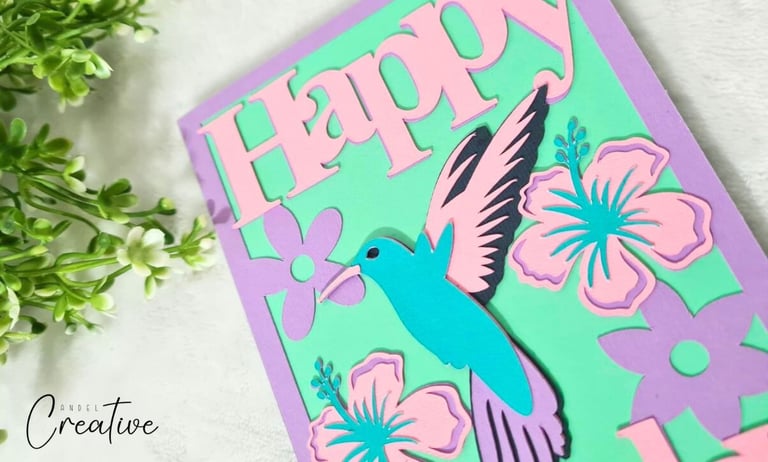
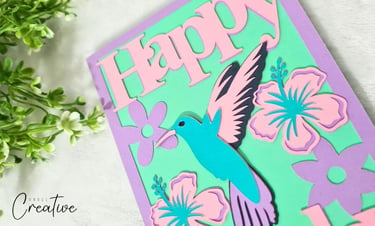
Other cards I make with Cricut use SVG files. You cut the elements in different colors and layers and then assemble them. Using a finished SVG is super beginner-friendly: just upload it to Design Space, cut, and put it together. The trickier part can be choosing the right colors, because SVG files often come with lots of shades, and you’re limited to what cardstock you have on hand.
Cards Made Using Both
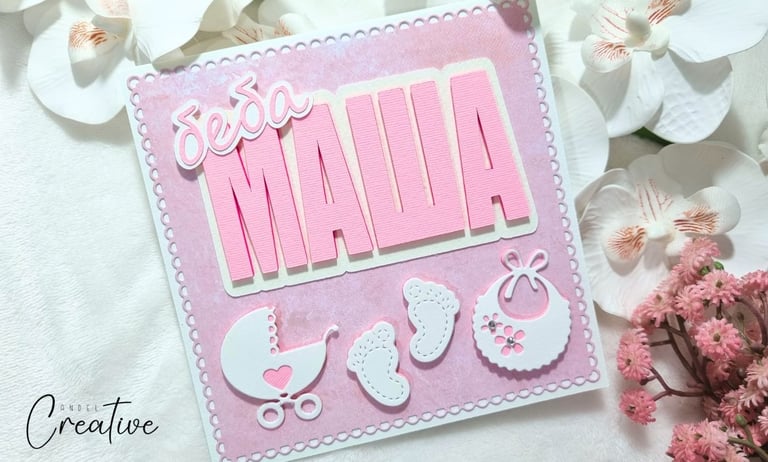
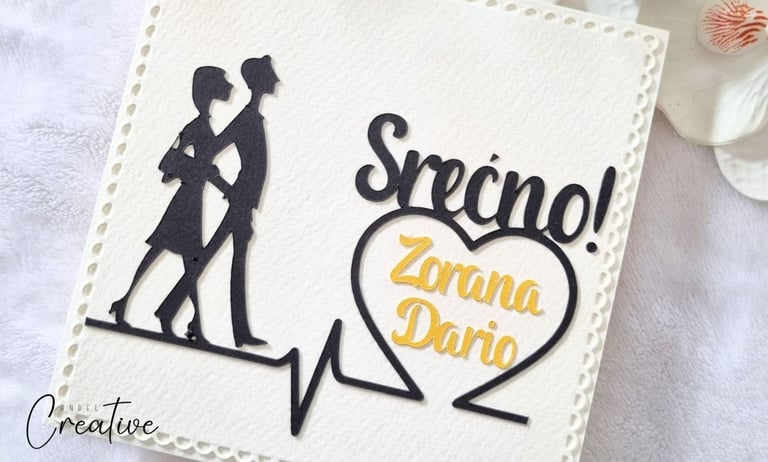
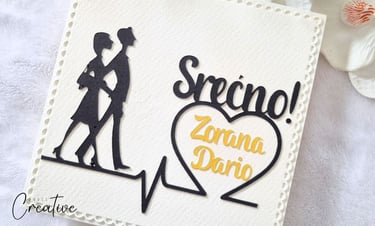
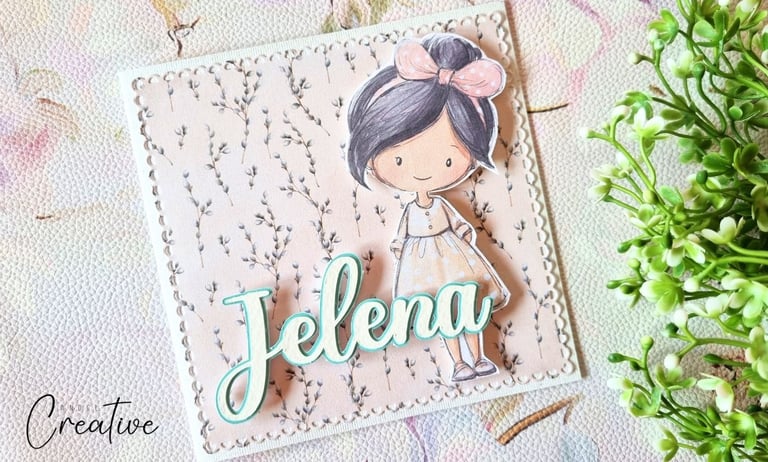
For me, the best results come from combining both machines. I often use Cricut for text — numbers, names, or sentiments — because of the wider font options. For the other elements, I turn to Sizzix: laced or stitched borders, themed shapes, and tiny details like owls or newborn elements.
Combining the precision of Cricut text with the warmth and dimension of Sizzix elements gives cards a professional yet handmade feel that I absolutely love.
I should also mention that I’m subscribed to Creative Fabrica, which is where I find most of the SVG cutting files I use for my paper crafts. It has a huge collection of designs and it saves me so much time searching around online.
Whenever I want to make a themed card or try something new, I can usually find a ready-made SVG file there, upload it into Design Space, and start cutting. For beginners especially, using finished SVG files is a great way to create beautiful layered cards without needing advanced design skills.
This post contains affiliate links, which means I may earn a small commission if you choose to subscribe — at no extra cost to you. I only recommend resources I personally use and genuinely find helpful in my own card making.
Your decision on which machine to choose is, of course, up to you. From my standpoint, for a card maker — whether a beginner or more experienced — I find the Sizzix Big Shot to be the more suitable and reliable option. Over the past twelve years, I’ve made tons of cards, exploding boxes, albums, tags, and bookmarks using just the Big Shot, and it has never let me down.
If you decide to go with it, it’s worth considering putting a little extra toward the Sizzix Big Shot Plus, which gives you more space for larger projects — a nice bonus for future expansion. On the other hand, if you plan to branch out into other paper crafts beyond card making — like cake toppers, party supplies, or even vinyl projects and stickers — the Cricut Maker 3 might make more sense for long-term use.
In either case, every machine requires some investment — both in tools and in time to learn them — but the joy of seeing your finished, personalized creations makes it all worthwhile.